Tips for Online Testing

Test taking, whether traditional paper and pen or online test taking, can cause you to be anxious, even when you know you have studied well and know the material. But, if you have little or no experience with online testing, the tips below can help you work more effectively in the online environment.

If  you are a little more anxious than usual because of unfamiliarity with testing online, many of these suggestions will reduce test anxiety. If you are having active testing anxiety, try the breathing exercise listed below.

  1. Make sure you press the “SAVE” button after answering each question (selecting an answer). This is very important because if you answer several questions and your computer freezes, you may lose all the short answers you just typed, etc. Pressing save frequently will save frustration and time.
  2. Some students find it very helpful to read questions out loud to ensure understanding. This will minimize misunderstanding about what the question is asking. If you have the accommodation for a screen reader (or questions read aloud), be sure to ask your instructor for
  3. If you have an accommodation for extra time, be sure to contact your instructor ahead of time to ensure that the testing time is set accurately for you (plus 50 or 100% extra time). If you email the instructor, also copy the disability services advisor you have worked with, on the request or reminder.
  4. If you have an accommodation for clarification, be sure to ask your instructor how to contact him or her if you have a question about an item on the test.
  5. Plan ahead and find a quiet place with no distractions to test, so you can fully concentrate on the questions and not be interrupted.
  6. Hydration is important for your body and brain to work well. Have a water bottle close by if you need it.
  7. Get a good night’s sleep before testing. By the way, testing late at night is not an optimal time unless you have time to rest beforehand.
  8. Make sure you are eating properly. Your brain will not function adequately if your blood sugar is low (from not eating).
  9. If possible, take small breaks to stand and stretch and move around. This helps the blood to flow (especially if you are zoning out a bit).
  10. Along with breathing, you can try progressive muscle relaxation while you are taking the test. Tighten and release one muscle at a time, or use a squeeze ball.Breathing exercises will bring down your blood pressure and help you calm yourself. Try this:
    • Breathe in for a count of 4.
    • Hold the breath for a count of 4.
    • Breathe out (release) for a count of 4.
    • Repeat this several times. You should feel your body responding positively.


Tips courtesy Lake Sumter State College, South Lake Campus, Student Accommodations Services


Need a Distraction-Reduced Environment? – At Home

With the transition to online instruction, you may not have an environment at home that is conducive to effective studying or is a ‘reduced distraction’ environment. This mean it may be difficult to concentrate and not be distracted, or complete assignments  or tests uninterrupted.

Student support staff from schools around the country recognize this is problematic – especially for students who have the accommodation of a “distraction-reduced” environment. The University of North Texas Health Science Center, prepared a tip sheet for students. (A Word document of the tips from UNT is available at the end.)

Study Tips for Reducing Distractions

  • Set up an ideal study environment. Study in a location that minimizes both visual and auditory distractions. Try to find a location that you cannot see others moving around and is located in a quiet space.
  • Remove unnecessary items from your study space that are not needed for studying.
  • Use noise-cancelling headphones or listen to white noise to reduce auditory distractions. Or try using earplugs.
  • Remove electronic distractions. Turn your phone on silent and put it where you cannot see the screen. Turn off notifications on your laptop.
  • Take timed breaks. Know your threshold for focus. When you start losing focus frequently, take a timed break. This will help to remind you to return to your studying.
  • Reduce internal recurring thoughts. Keep a post-it note or piece of paper to write down your thoughts so you don’t forget them. You can take care of the items on your timed break or when finished studying.
  • Do not cram. Set a schedule to review material in a timely manner. List out specific goals/a study plan – even hour-by-hour, and use timers to try to stay on track.
  • Move around while studying. Get up and use the whiteboard or change positions often.
  • Chewing gum is sometimes helpful for focus, and having a stress ball or other fidget can help when you start to feel restless.
  • Some students find sitting on an exercise ball while studying helpful with focus as well.
  • Use mind mapping to help organize your thoughts and create a visual representation of the information.
  • Chunk the information. If you have a lecture to learn of review, approach the information in chunks instead of trying to learn all the information at one time. It can be helpful to organize the information by learning objectives.
  • Use highlighting or paraphrasing information as you read it.

More Tips

If you are receiving  testing accommodations, perhaps the disability service provider would consider some of these modifications to your accommodation.

  • Allowing some additional time  to complete the test, beyond any time extensions already in place
  • Allowing  you, the student, to take the test at a different time, when distractions may be lessened (such as after a child has gone to bed)

If your school is using a remote proctoring service:

  • Relaxing testing requirements due to remote proctoring services, such as any penalty for leaving the area, looking away from the screen, etc.
  • Providing accommodated remote proctoring that is separate from the remote proctoring service for the rest of the class, and that has greater flexibility.

UNT Distraction Tips 2020-03-20

Study Resources for Students in the Time of COVID-19

Many educational institutions are moving to instruction online as the impact of the COVID-19 virus on daily life changes on a daily if not hourly basis. If your institution is moving, or has moved to online instruction, the resources below may be of help.  Check out other posts in this series by searching the category “Covid-19.”

Study and Time Management Tips

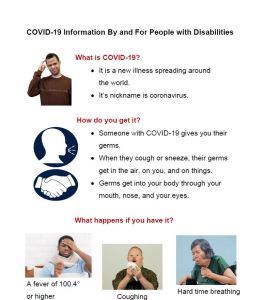
Graphical fact sheet about Covid-19
COVID-19 for PWD
Study help -COVID
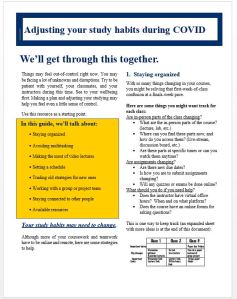
Study Habits during COVID-19
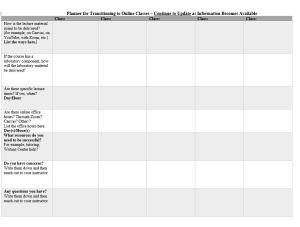
Table for managing online classes
Planner for Transitioning to Online Classes


The Stark State (OH)  Digital Library also has  a libguide of useful tips for students. https://libguides.starkstate.edu/StudySkills/OnlineTips

Accessible e-textbooks

If you need accessible e-textbooks, check these two sites to see if your text is available.

Vital Source Instructions:

  1. Go to vitalsource.com and create an account if you don’t already have one. Make sure to use your edu email address.
  2. Login and click on “My Bookshelf” in top right corner.
  3. Then click on Explore in the top left corner.
  4. Search for the book you need and add it to your Bookshelf and start reading.

RedShelf Instructions:  

  1. Go to redshelf.com and create an account if you don’t already have one.
  2. Make sure to use your edu email address
  3. Login and go to www.about.redshelf.com/redshelfresponds  
  4. Scroll down a little and click on the button, “Access Free eBooks”
  5. Search for the book you need and ‘view details’ and then ‘Add to My Shelf’

More  specific information about RedShelf is available in this guide prepared by a student at Front Range Community College (Colorado). https://drive.google.com/file/d/1lZRSXkvsRIFwC_IVnCKmSrlBtp93sBs1/view