Online Learning Tips for Deaf Students

COVID-19 has made colleges and universities around the United States switch to online learning for everyone — including deaf students.


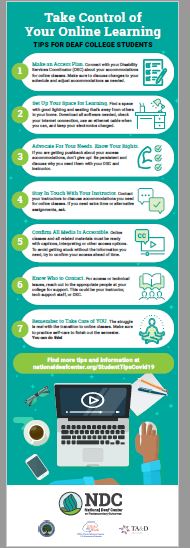
Whether you have taken an online class before or are new to this, remember: accommodations don’t stop because you are now learning remotely.  The infographic below offers strategies that can help you take control of your online learning.

tips for online learning infographic

Tips for Taking Online Courses

The COVID-19 virus has prompted many educational institutions to put their courses online for the remainder of the term. As faculty scramble to convert courses, students may be struggling to adapt as well. Not every student has taken an online class previously, and some may have done so and discovered that online learning doesn’t work for them.

If this is your first online course or you would like to be more comfortable or successful than you were in an earlier course, consider accessing the following resources. Each video will open in a new tab.

Study Resources for Students in the Time of COVID-19

Many educational institutions are moving to instruction online as the impact of the COVID-19 virus on daily life changes on a daily if not hourly basis. If your institution is moving, or has moved to online instruction, the resources below may be of help.  Check out other posts in this series by searching the category “Covid-19.”

Study and Time Management Tips

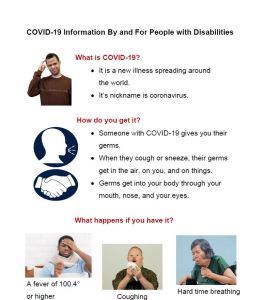
Graphical fact sheet about Covid-19
COVID-19 for PWD
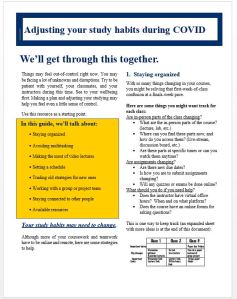
Study help -COVID
Study Habits during COVID-19
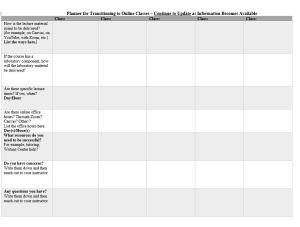
Table for managing online classes
Planner for Transitioning to Online Classes

 

The Stark State (OH)  Digital Library also has  a libguide of useful tips for students. https://libguides.starkstate.edu/StudySkills/OnlineTips

Accessible e-textbooks

If you need accessible e-textbooks, check these two sites to see if your text is available.

Vital Source Instructions:

  1. Go to vitalsource.com and create an account if you don’t already have one. Make sure to use your edu email address.
  2. Login and click on “My Bookshelf” in top right corner.
  3. Then click on Explore in the top left corner.
  4. Search for the book you need and add it to your Bookshelf and start reading.

RedShelf Instructions:  

  1. Go to redshelf.com and create an account if you don’t already have one.
  2. Make sure to use your edu email address
  3. Login and go to www.about.redshelf.com/redshelfresponds  
  4. Scroll down a little and click on the button, “Access Free eBooks”
  5. Search for the book you need and ‘view details’ and then ‘Add to My Shelf’

More  specific information about RedShelf is available in this guide prepared by a student at Front Range Community College (Colorado). https://drive.google.com/file/d/1lZRSXkvsRIFwC_IVnCKmSrlBtp93sBs1/view